1. Introduction
This is a full-featured text editor application built in Java Swing, designed to handle
essential document editing tasks in a modern and user-friendly interface. It provides standard editing
capabilities like cut, copy, paste, undo/redo, along with advanced features such as font and color
customization, find and replace, and printing support.
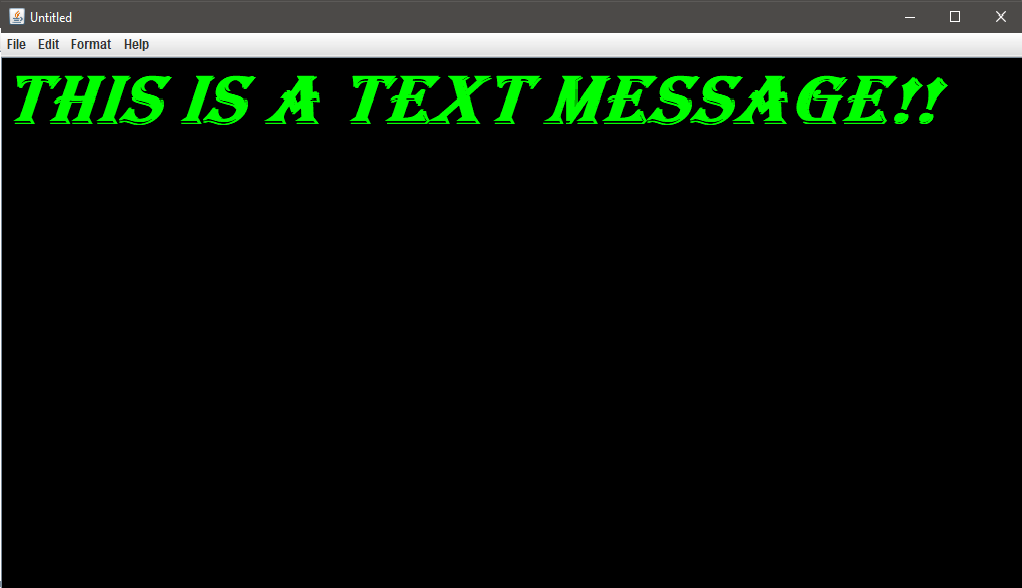
The editor supports working with multiple fonts, styles, sizes, and both font/background color control.
Files can be opened, saved, printed, or created anew, with changes tracked using an integrated
UndoManager. The application also incorporates shortcuts and dialogs that enhance usability.
2. Key Features and Functionalities
1. File Operations: Supports creating, opening, saving, and printing files. File handling is done
using BufferedReader and BufferedWriter for reliability.
2. Undo/Redo: Managed using Java’s UndoManager, allowing users to revert or reapply
changes.
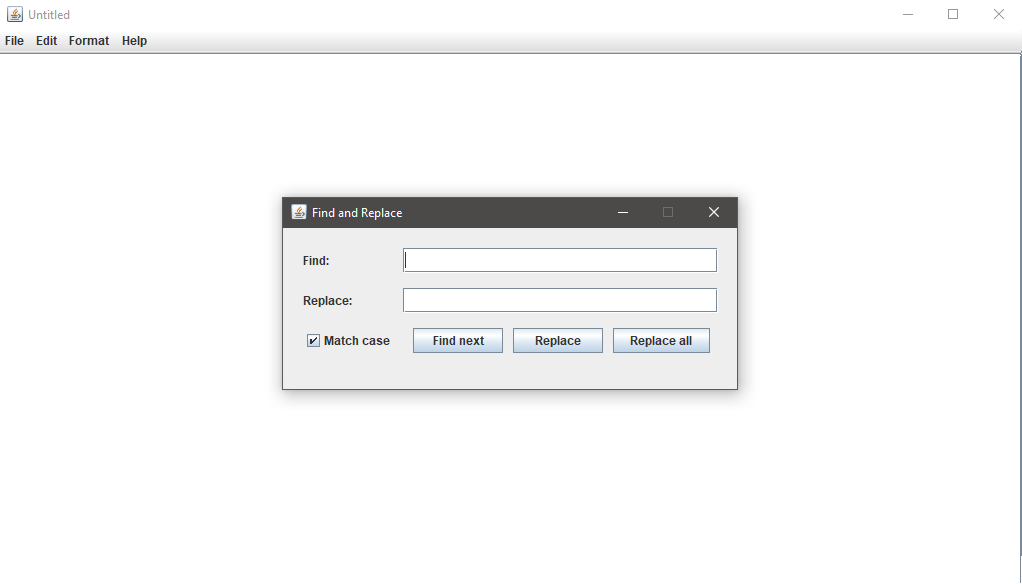
3. Find and Replace: Interactive dialog with support for case-sensitive searches, "find next",
"replace", and "replace all" operations.
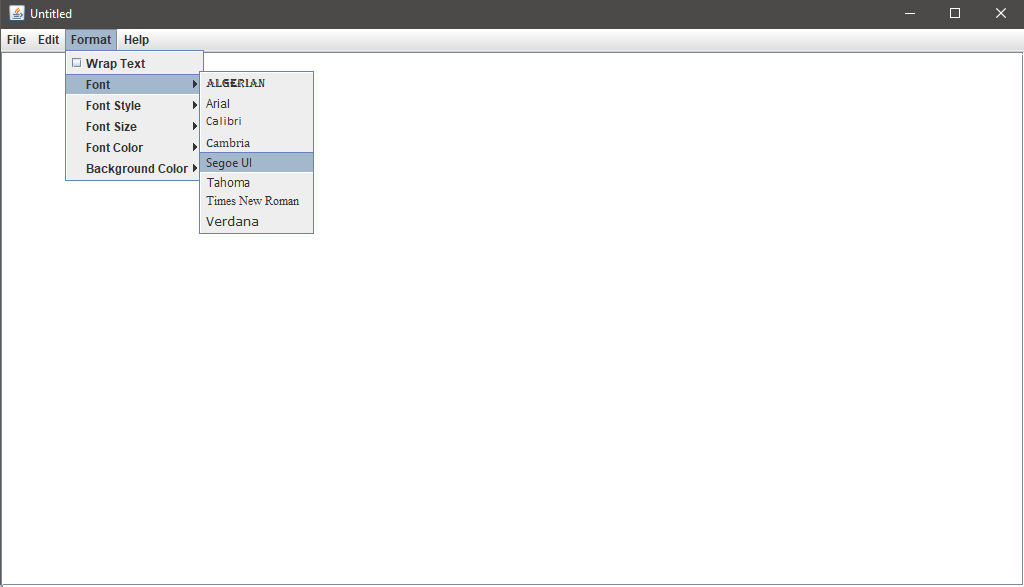
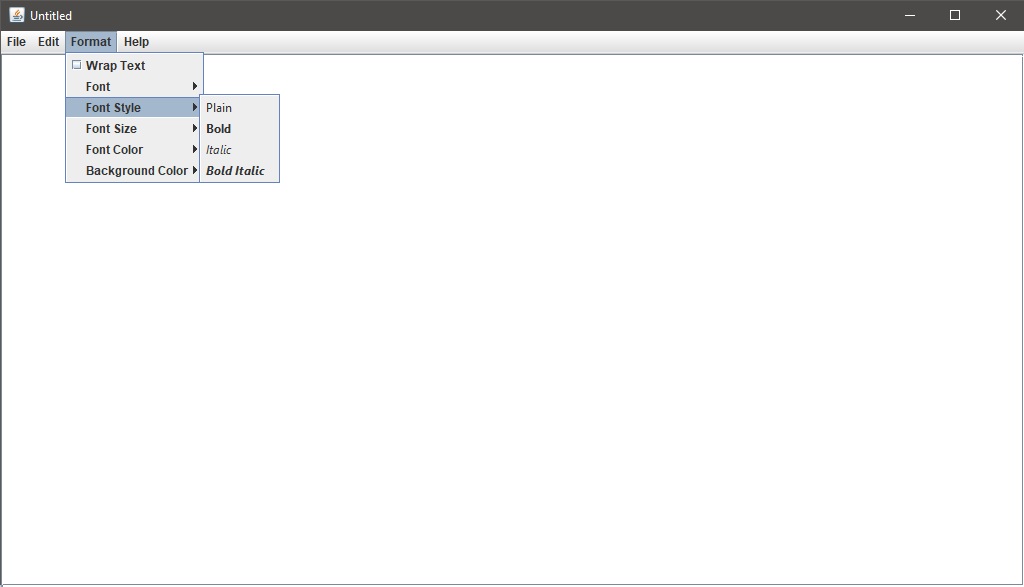
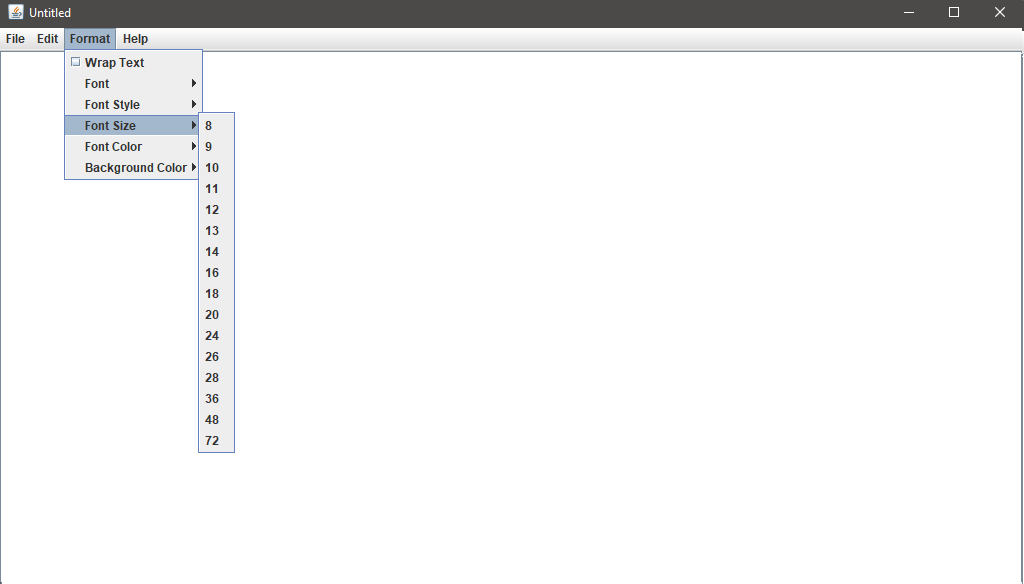
4. Font Customization: Users can choose from a wide range of fonts, styles (plain, bold, italic), and
sizes.
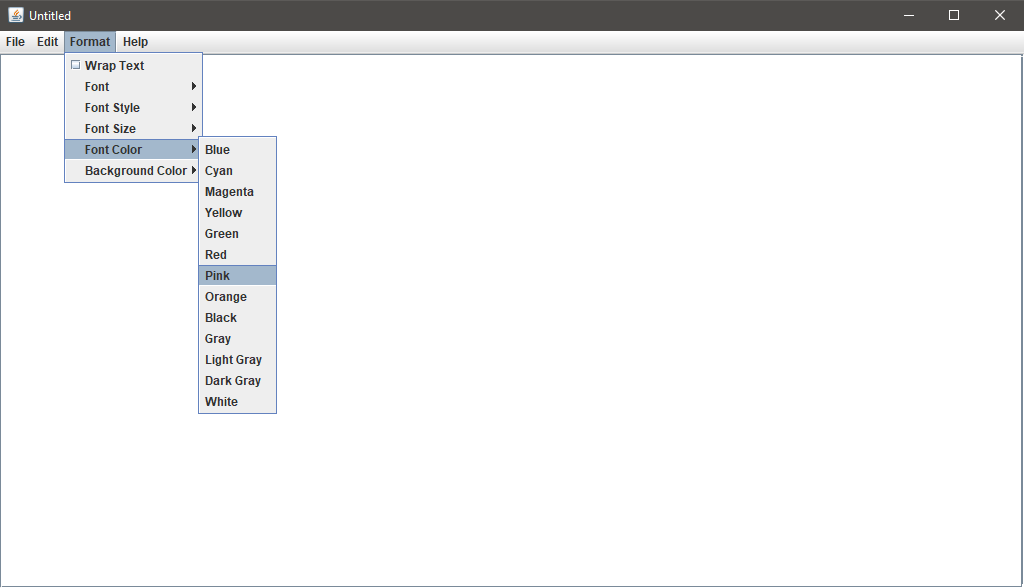
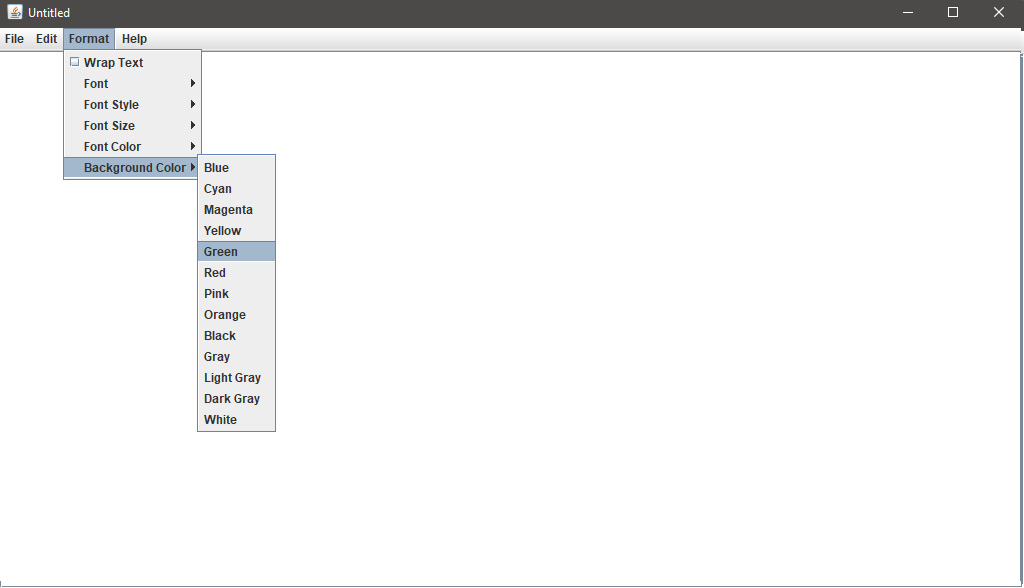
5. Text Color and Background Color: Comprehensive color options are available for both foreground and
background customization.
6. Wrap Text Toggle: Toggle line wrapping for long lines directly from the menu using a
JCheckBoxMenuItem.
7. Date/Time Insertion: Inserts the current date and time at the cursor location in a human-readable
format.
8. Keyboard Shortcuts: Common shortcuts like Ctrl+S (Save), Ctrl+O (Open),
Ctrl+P (Print), Ctrl+Z (Undo), Ctrl+Y (Redo) are integrated.
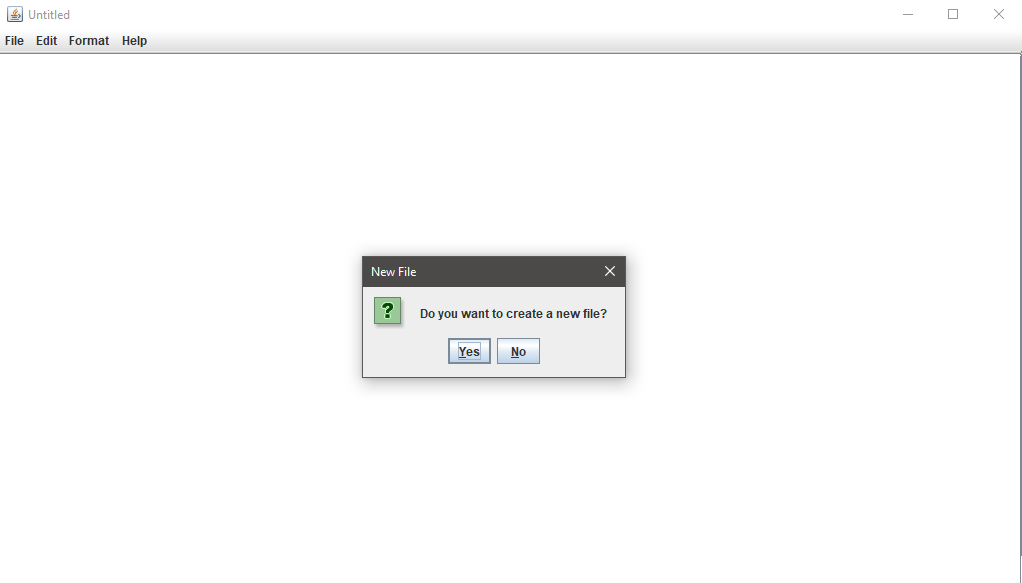
Creating a new file
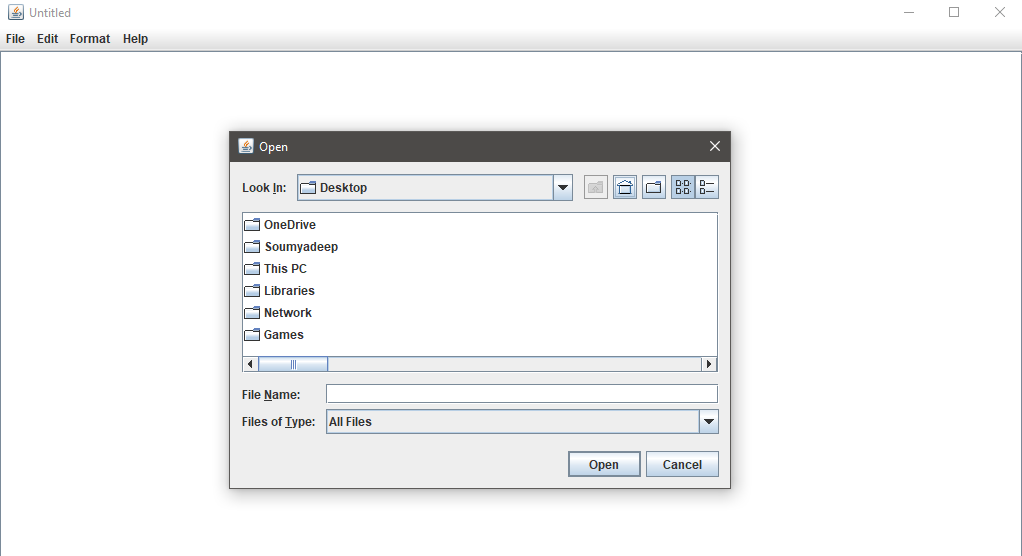
Opening an existing file
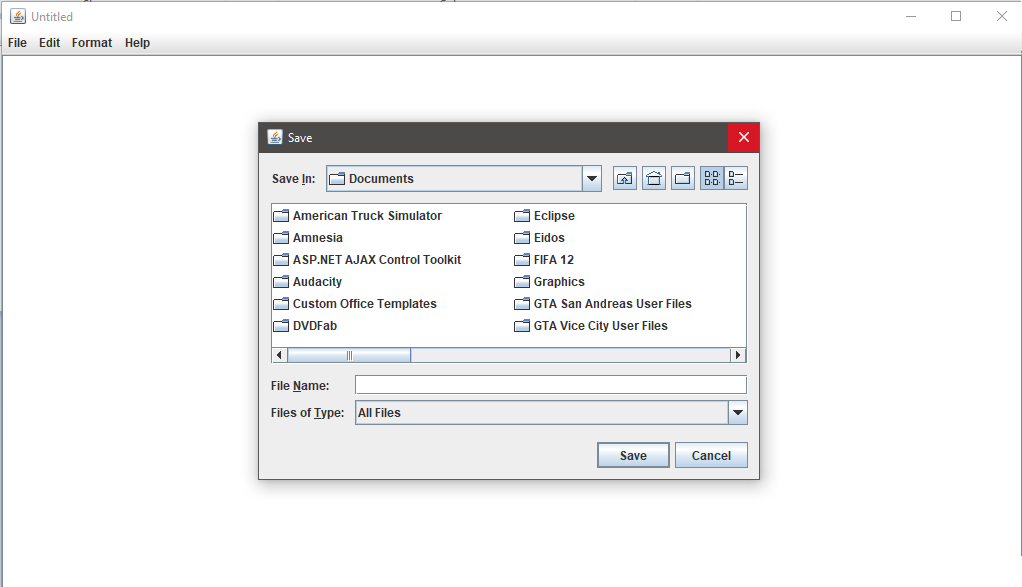
Saving a file
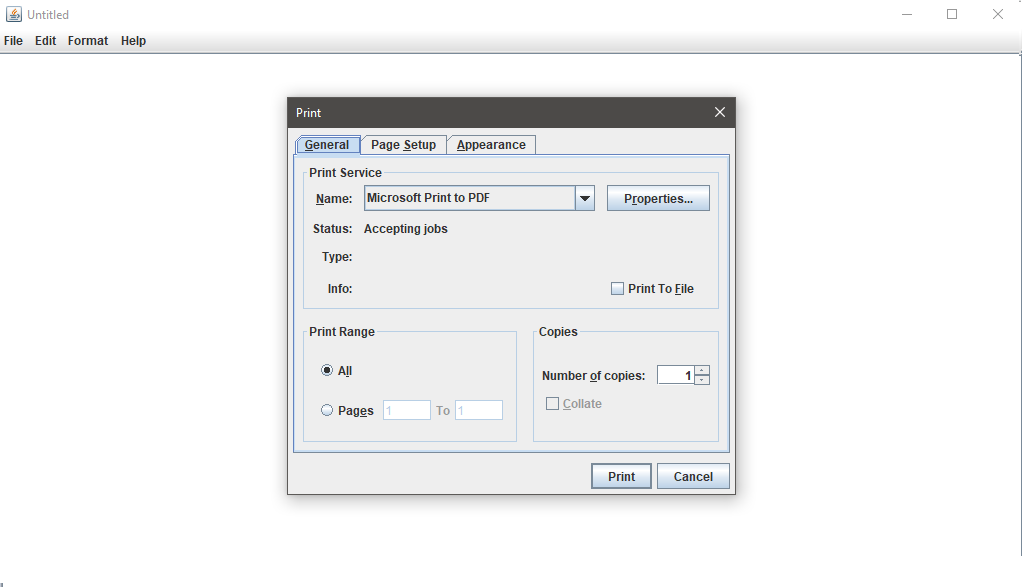
Printing a file
Find and replace
Choosing the font
Choosing the font style
Choosing the font size
Choosing the font color
Choosing the background color
Formatting
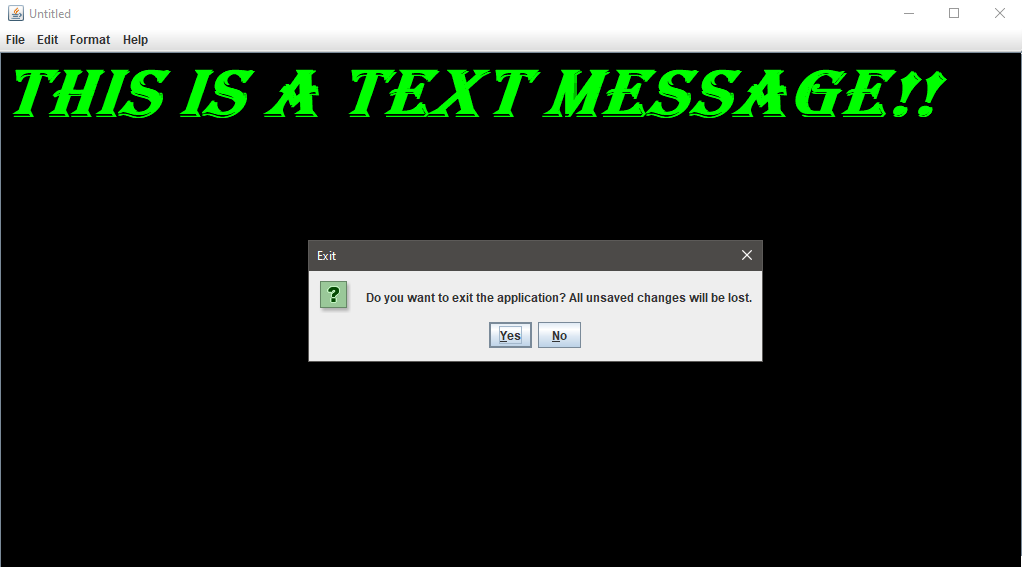
Exiting the application
3. How the Editor Internally Works
1. Text Input: The JTextArea component serves as the main editing area, wrapped in a
JScrollPane for scrollability.
2. Menu System: Constructed using JMenuBar and various nested JMenu and
JMenuItem elements, dynamically populated and styled at runtime.
3. Event Listeners: All menu items are tied to ActionListeners, triggering methods like
openFileActionPerformed(), saveActionPerformed(), etc.
4. Find/Replace Window: A separate JFrame is instantiated with custom layout, checkboxes, text
fields, and event-handling for search and replacement logic.
5. Font and Style Application: When a font or style is selected, the currentFontName,
currentFontStyle, and currentFontSize are updated and applied using the Font class.
4. Technical Design Overview
1. Core Class: The entire editor is built around the TextEditor class which extends
JFrame and initializes components in the initComponents() method.
2. Modular Actions: File, edit, format, and help actions are grouped into specific setup methods like
setFileMenuActionListeners() and setFormatMenuActionListeners().
3. Color Mapping: Background and font colors are applied using a HashMap that maps color names
to actual Color objects.
4. Safe Closure: On window close, a confirmation dialog is shown using JOptionPane to avoid
accidental loss of unsaved work.
5. State Management: The current open file is tracked by a File filename variable to
differentiate between Save and Save As actions.